FreeStack News ·
Shopify Canvas puts an entire store in one AI design workspace
Canvas lets Shopify merchants work with Sidekick across their store pages, with real theme-code changes and interactive previews. Rollout started October 1; this is launch coverage, not a hands-on test.
What changed
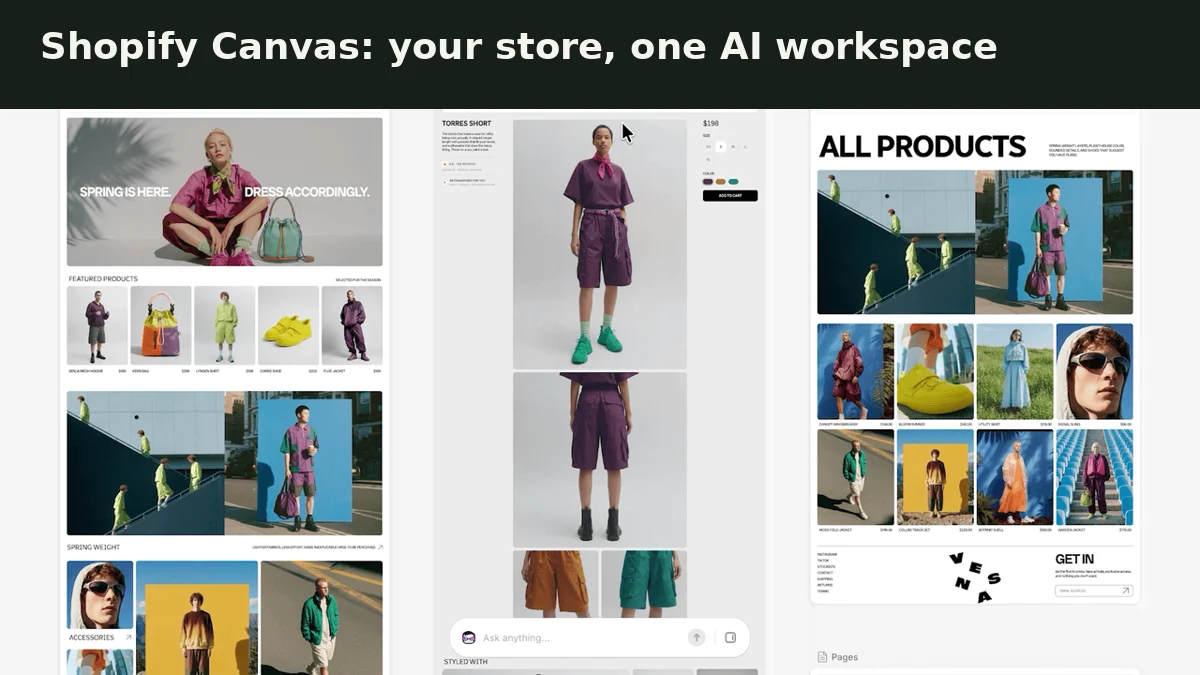
Shopify announced Canvas on October 1, 2026. The new workspace lays out store pages together so merchants can move across the whole design or focus on details. Sidekick can make changes from a chat, edit theme files and show changes as they land. Shopify says previews render real code, with interaction and animation, rather than static screenshots. Merchants can still click elements to edit directly.
Why it matters
For a merchant, the useful change is seeing whether a redesign works across home, product and collection pages instead of fixing each in isolation. Chatting with Sidekick can reduce the need to hunt through theme settings or write every change yourself. The benefit is a shared visual context for design decisions, not evidence that the AI always gets those decisions right.
Reality Check
Canvas is rolling out over the coming days and does not replace the existing editor yet. We inspected Shopify's announcement and its three moving product demos, not a merchant account with Canvas enabled. Shopify says there are gaps still to close. We have not verified a separate price or free entitlement for Canvas. This is launch coverage, not a hands-on performance verdict. Product visuals are credited to Shopify.
Official source: View the maker's update ↗. Our short is an explanation, not a hands-on product test unless we explicitly say otherwise.